

CopyToDVD 5.1
The program uses a smart data analyzer that suggests the best output format
Program info
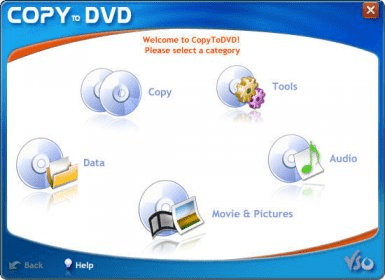
CopyToDVD is an easy-to-use program that enables you to burn CDs and DVDs. Besides, it is also a back-up utility. Using CopyToDVD you can back up audio (from MP3, WMA, Ogg Vorbis, MusePack and APE file formats), games, videos, photos and data files (including ISO/Joliet/UDF formats).
The program has a simple and handy interface. There are five options: Copy, Data, Movies and Pictures, Audio and Tools. So, you can copy music, data, games, DVD video, write DVD video, copy DVD video, create photo DVD, create audio DVD, play and manage music. The “Tools” option provides you with a wide range of settings, which can be customized according to your requirements. CopyToDVD supports all types of CD and DVD discs, including CD-R(W), DVD-R(W), DVD-RAM and also Double Layer discs. In addition, it has a data analyzer, which offers you the best output format. CopyToDVD is similar to batch recording programs where you can work with CD/DVDs like with a usual floppy disc. You don’t need to launch the program and point out the disc parameters. You just need to mark the files or folders you are going to record, get into a menu and select CopyToDVD option. CopyToDVD is multilingual and works under Windows XP and Vista.
Pros
- Easy to use
- Supports any CD/DVD
- Quick
Cons
- Not free



Comments